

1
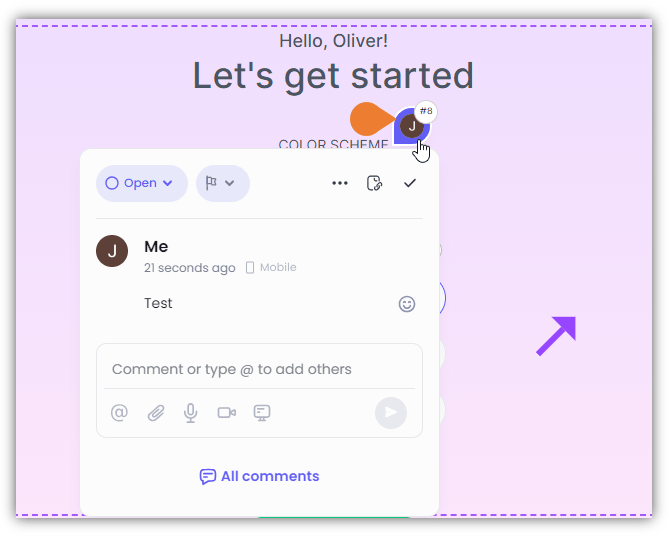
On the screen, find and click the Comment that you want to update
2
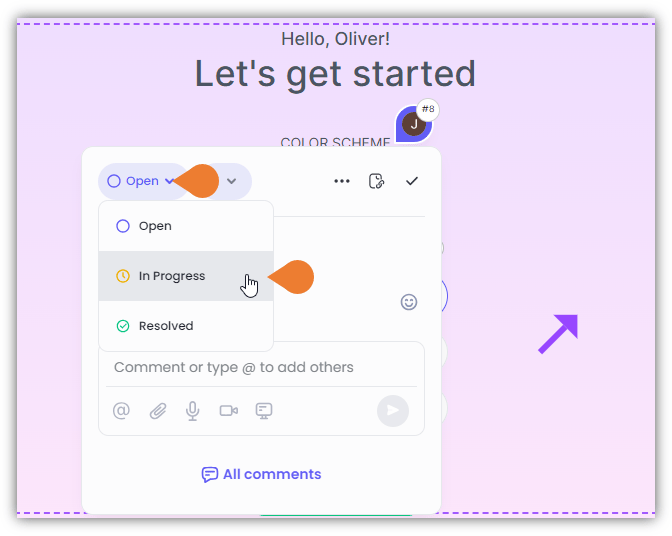
The Comment Box will appear, click the Status menu to select the appropriate status
3
The Status sub-menu will expand
Click the appropriate status to select. After selecting the status, the system will automatically apply the changes.Alternatively, you can mark the comment resolved by clicking the Check Mark on the upper right side of the Comment Box.