

1
Go to Settings, then Integrations, then WebHooks
On the Superflow Dashboard, click Settings in the left sidebar, open the Integrations tab, and pick WebHooks from the list.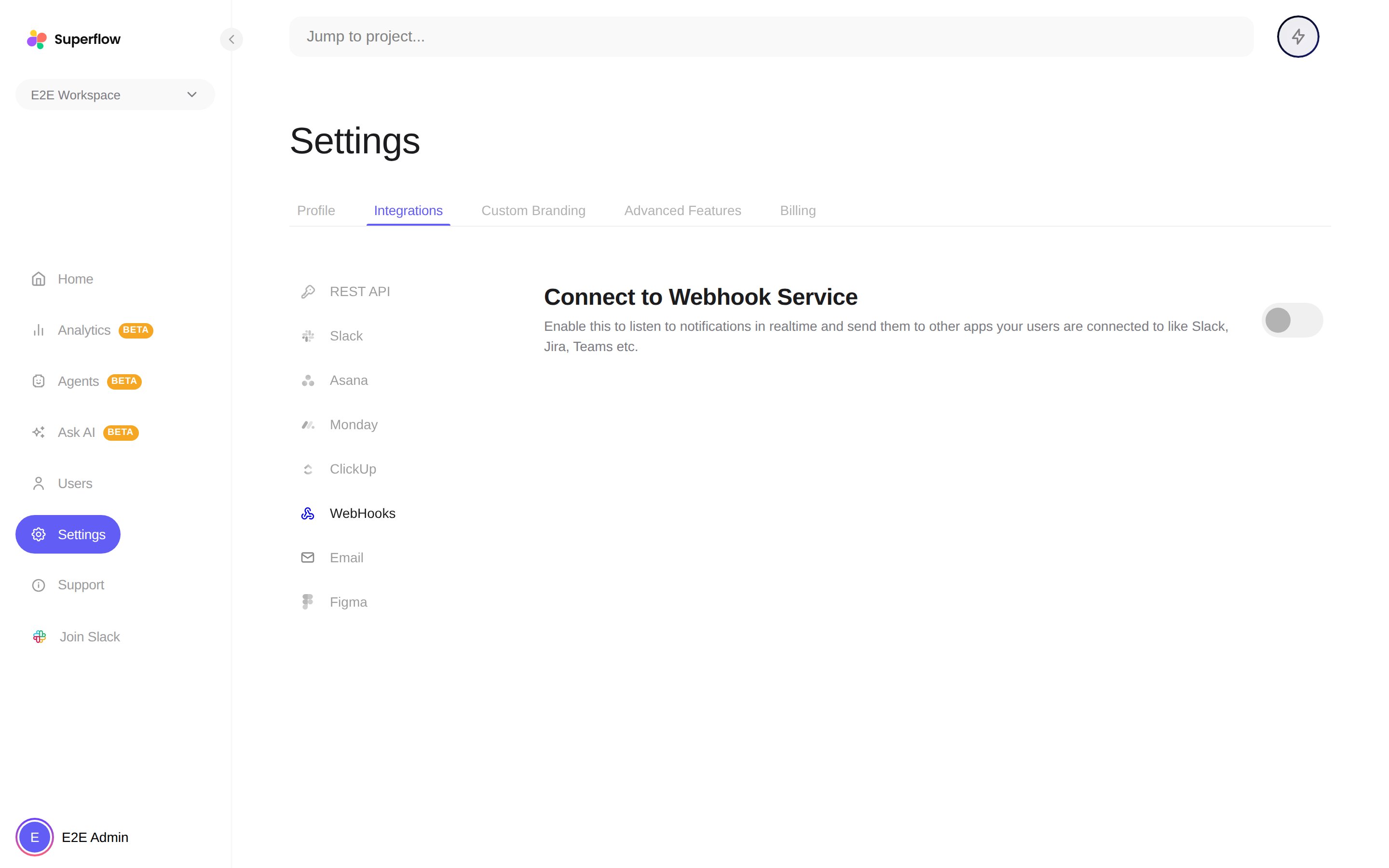
2
Turn on Connect to Webhook Service
The configuration fields appear: your receiver URLs, an auth token, payload protection options, and per-event triggers. The reference below covers each one.
Configuration reference
This section is for the developer receiving the webhooks.Endpoints
You can configure two receiver URLs, independently. Superflow sends a separate POST to each one you configure:
Use the processed URL when you want to display or forward notifications, and the raw URL when you want to sync comment data into your own system.
Authentication
If you set an auth token in the webhook configuration, every delivery carries it as a header:Events
Each event carries anotificationSource (such as comment or huddle) and an actionType. Comment events cover the full lifecycle: newlyAdded, added (replies), updated, deleted, approved, assigned, statusChanged, priorityChanged, accepted, rejected, reactions, and subscription changes. Huddle events cover created and join. You can switch individual triggers on and off in the webhook configuration; everything is on by default.
Payload protection
Two optional transforms can be applied to the payload:- Encode data sends the JSON payload as a base64 string instead of plain JSON.
- Encrypt data encrypts the payload with AES-256-CBC and wraps the AES key with the RSA public key you provide in the configuration. The delivery becomes
{ "encryptedData", "encryptedKey", "iv" }, all base64. Decrypt the key with your private key (RSA-OAEP, SHA-256), then decrypt the data with AES-256-CBC using the key andiv.