

1
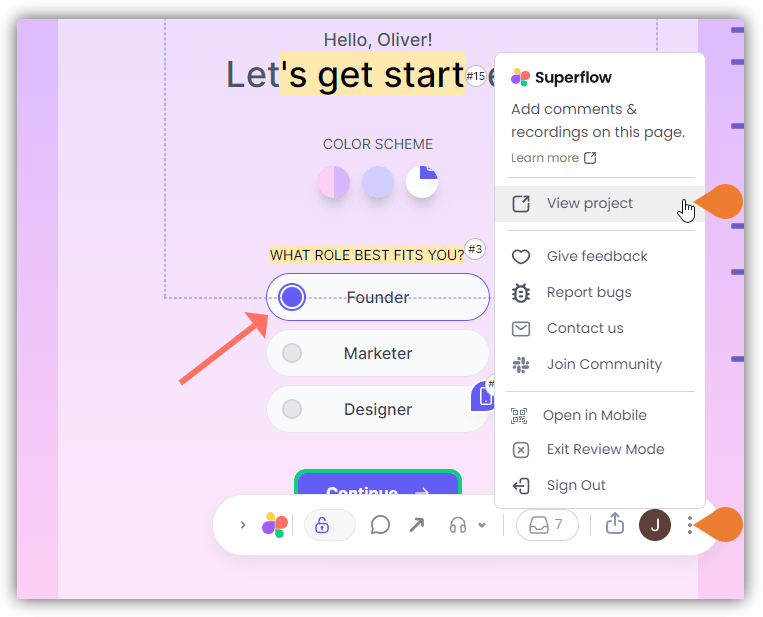
Find the Superflow Toolbar and click the More Options icon
2
A sub-menu will expand, click the View Project option to select
3
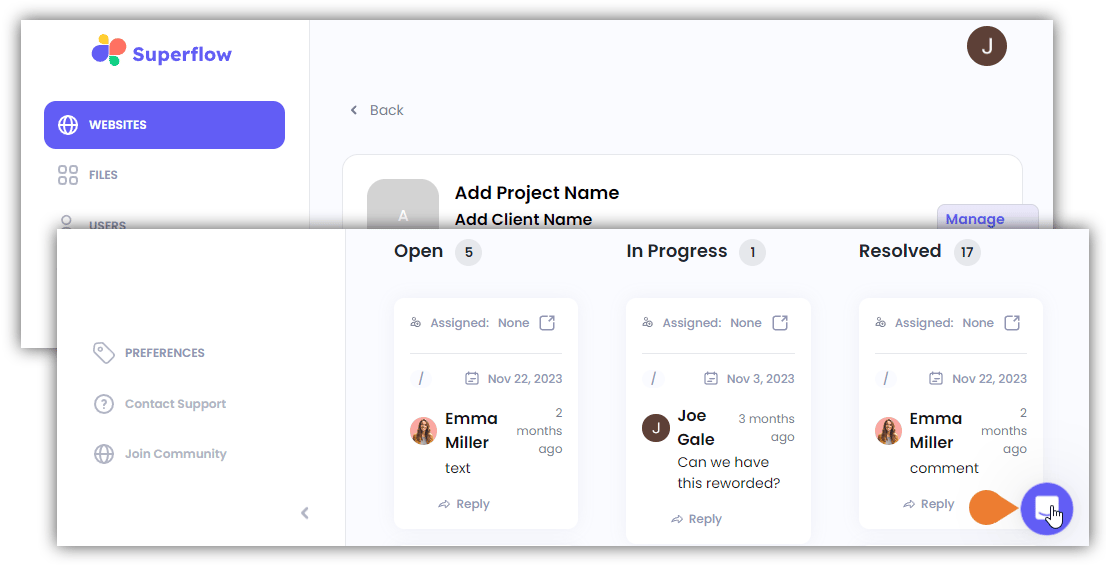
A new tab will direct you to the Project Dashboard page
By default, you will be directed to the Dashboard for Comment Status screen when accessing the Project Dashboard.
4
Find and click the Contact Support icon on the bottom right of the screen
alternatively, you can click the Contact Support module.
5
The Support window will expand
In this window you can do the following: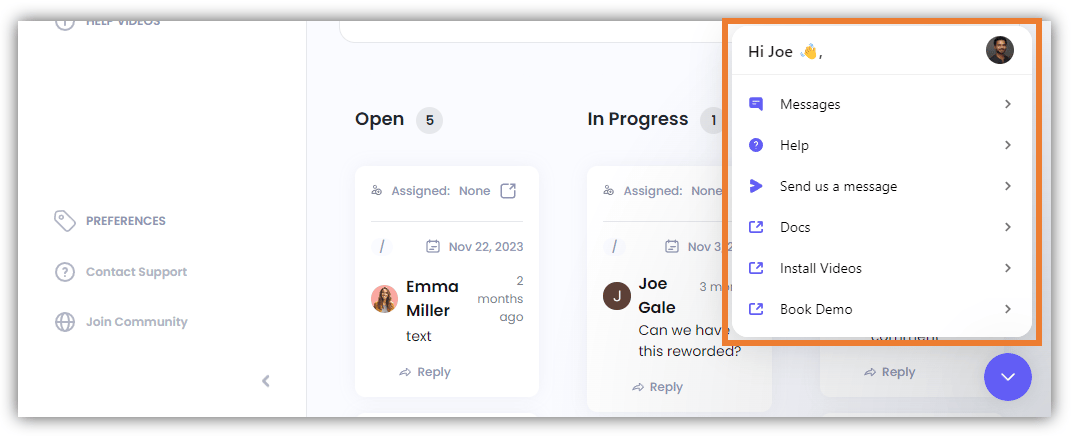
- Messages - Send us a message using this option.
- Help - Access the Help option where you can search for help articles.
- Send us a Message
- Docs - Directs you to the How-To Guides and FAQs page.
- Install Videos - Directs you to the Superflow YouTube channel where you can find the Superflow Install Guides.
- Book Demo - This directs you to Superflow’s Calendly scheduler app where you can book for a demo.