

1
On the Home page, open the project's three-dot menu and click Settings
You can also open the project first and click the settings icon in its header.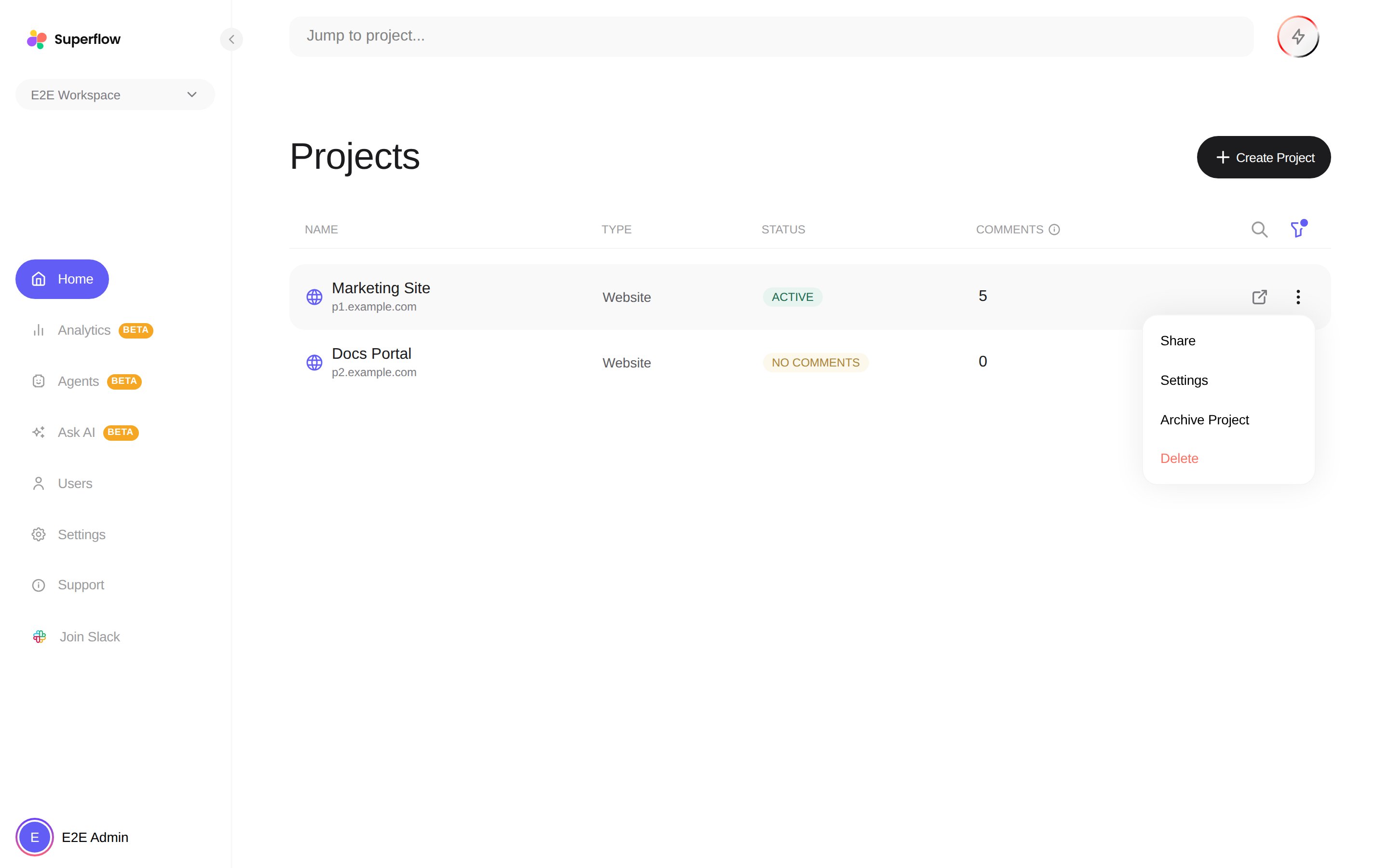
2
Use the left navigation to jump between sections
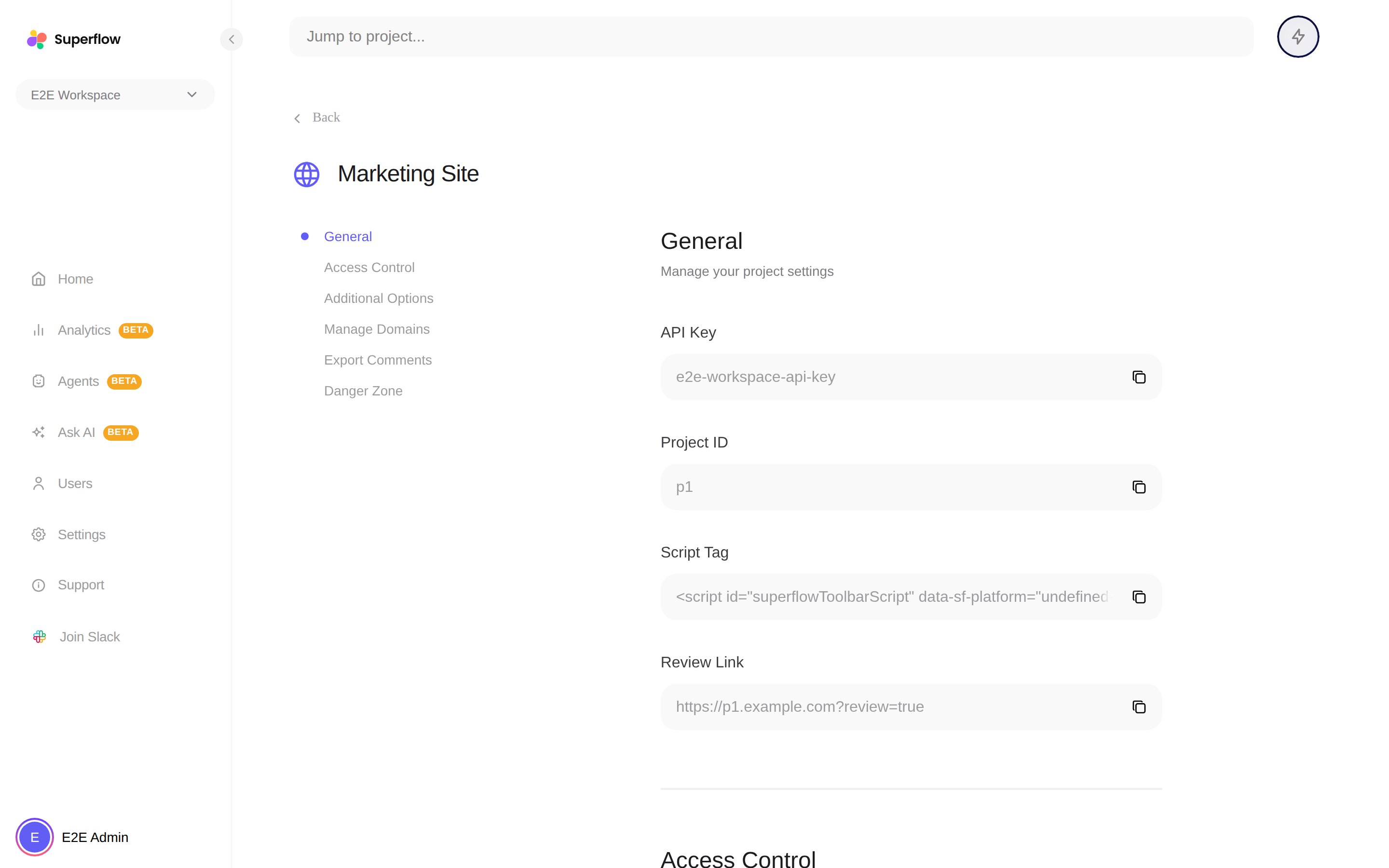
File projects show a Versions & Branches section here instead of domain management. See How to Use Versions and Approve a File.