> ## Documentation Index
> Fetch the complete documentation index at: https://superflow-claude-superflow-portal-docs-78gpp8.mintlify.site/llms.txt
> Use this file to discover all available pages before exploring further.

# Framer

> Install Superflow on Framer, with a video walkthrough and step-by-step screenshots.

<Frame caption="Watch the full Framer walkthrough">
  <iframe className="w-full aspect-video rounded-xl" src="https://www.youtube.com/embed/8Ft7_kMGvC4?si=7_5X9EkERgKmiBeZ" title="Install Superflow on Framer" frameBorder="0" allow="accelerometer; autoplay; clipboard-write; encrypted-media; gyroscope; picture-in-picture; web-share" allowFullScreen />
</Frame>

<Tip>
  Prefer to read? Every step in the video is written out below, with a screenshot for each one.
</Tip>

<Steps>
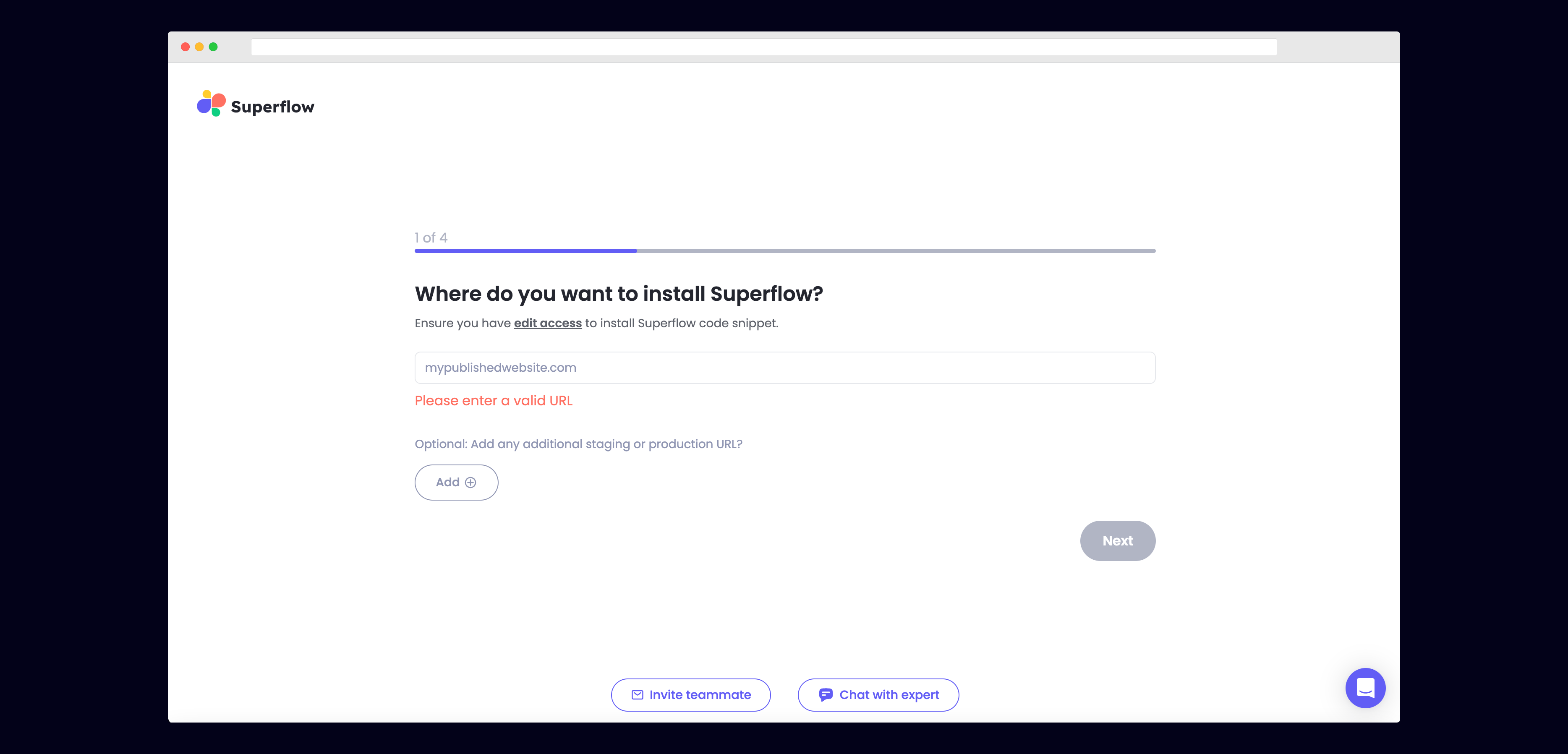
  <Step title="Enter Your Site URL">
    Enter the site URL you want Superflow to be installed in.

    <Frame>
      <img src="https://mintcdn.com/superflow-claude-superflow-portal-docs-78gpp8/_zKrRwh5L1PapanY/images/enter-url-final.png?fit=max&auto=format&n=_zKrRwh5L1PapanY&q=85&s=c8a09de8b3c9572c73e5651837dccab7" alt="Framer: Enter Your Site URL" width="3736" height="1797" data-path="images/enter-url-final.png" />
    </Frame>
  </Step>

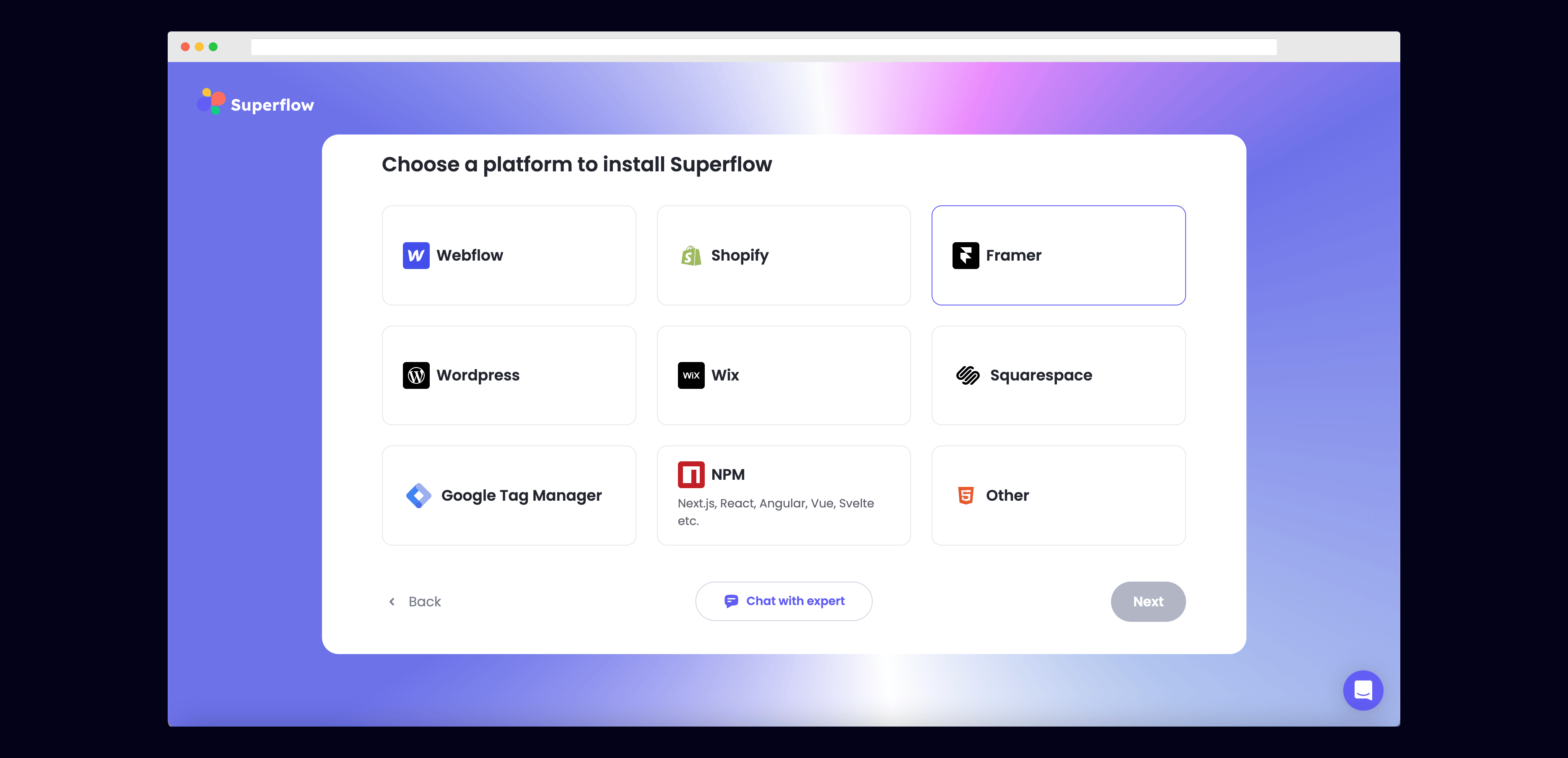
  <Step title="Select Framer from the list of Platforms">
    Choose Framer from the list of options to install Superflow with Framer.

    <Frame>
      <img src="https://mintcdn.com/superflow-claude-superflow-portal-docs-78gpp8/g2KY_MNTB5LdaNY9/images/select-framer-final.png?fit=max&auto=format&n=g2KY_MNTB5LdaNY9&q=85&s=4cb7a9034dd5cf34e48051a343126bef" alt="Framer: Select Framer from the list of Platforms" width="3740" height="1809" data-path="images/select-framer-final.png" />
    </Frame>
  </Step>

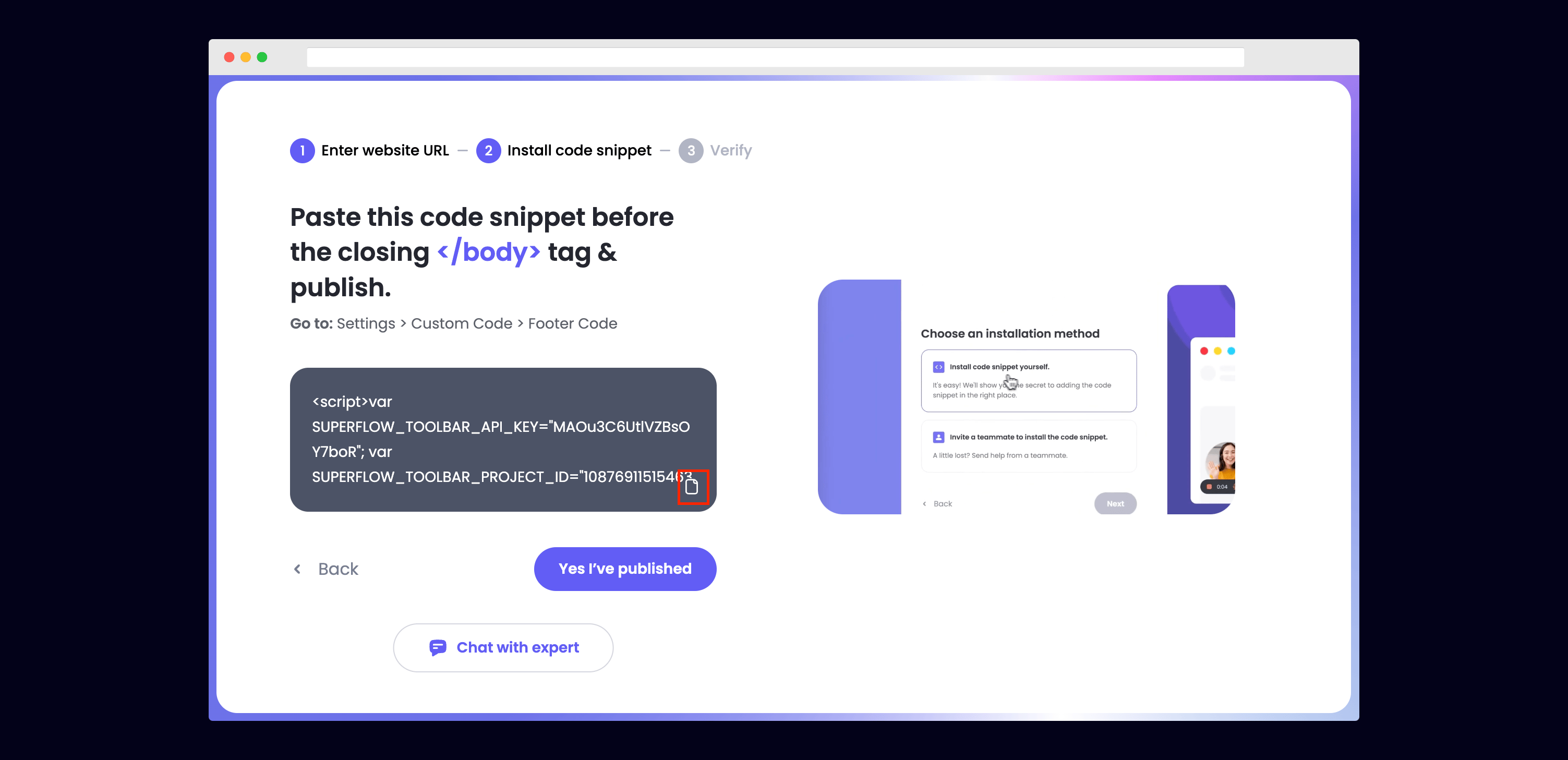
  <Step title="Copy your unique Superflow code">
    You can copy your unique Superflow code from the onboarding flow or from your project settings in your dashboard.

    <Frame>
      <img src="https://mintcdn.com/superflow-claude-superflow-portal-docs-78gpp8/_zKrRwh5L1PapanY/images/copy-code-final.png?fit=max&auto=format&n=_zKrRwh5L1PapanY&q=85&s=3690324884a9fcff709593c2738a3d0b" alt="Framer: Copy your unique Superflow code" width="3006" height="1457" data-path="images/copy-code-final.png" />
    </Frame>
  </Step>

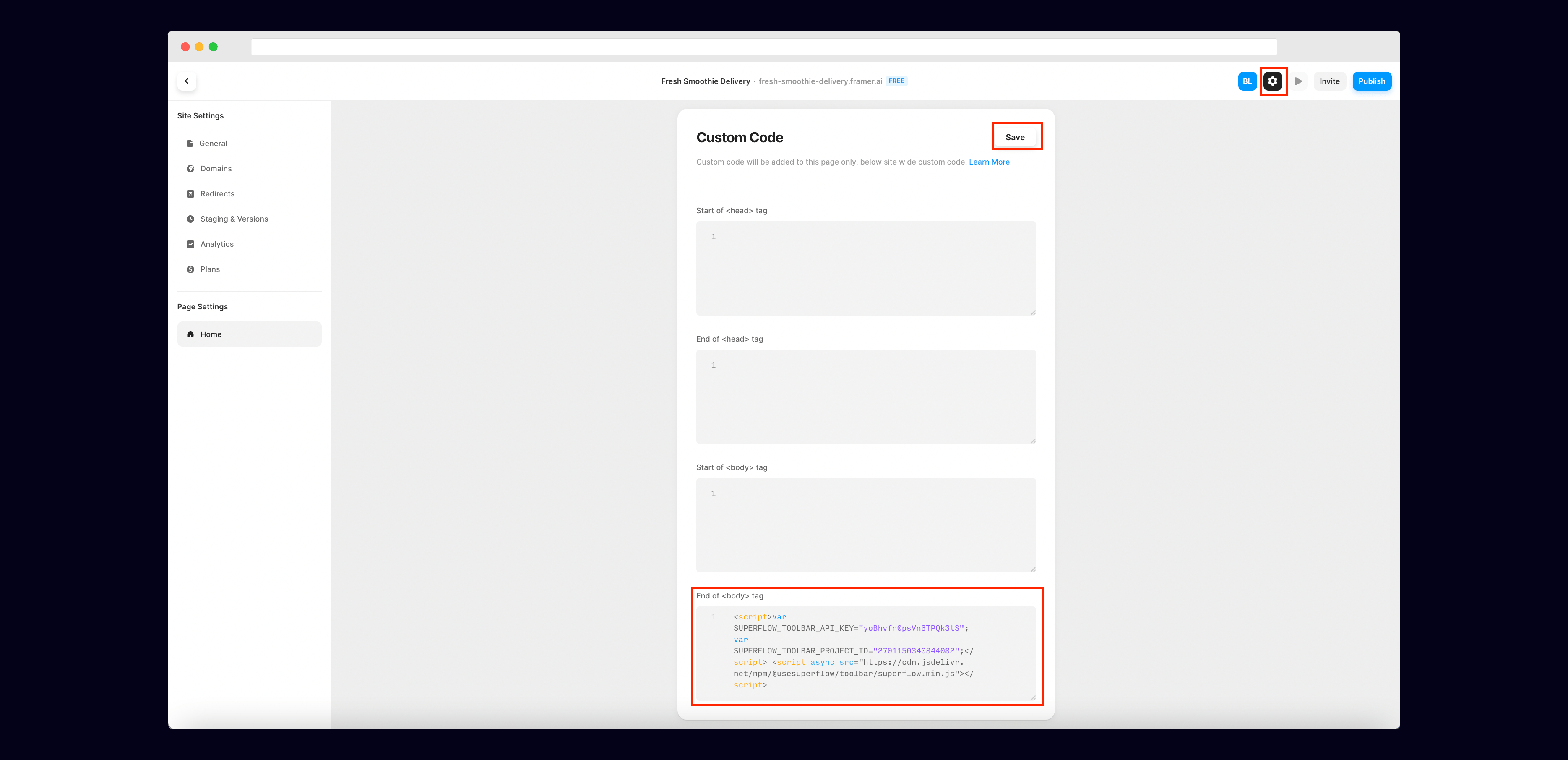
  <Step title="Go to Settings on your Framer site, then scroll down to Custom Code to add your unique Superflow code">
    You can get to Settings by clicking the gear icon on the top right.

    Then scroll down to Custom Code and add your unique Superflow code in the End of Body section. Be sure to save.

    <Frame>
      <img src="https://mintcdn.com/superflow-claude-superflow-portal-docs-78gpp8/_zKrRwh5L1PapanY/images/code-framer-final.png?fit=max&auto=format&n=_zKrRwh5L1PapanY&q=85&s=f7270153cb816008e22c5ee6f0a47ac6" alt="Framer: Go to Settings on your Framer site, then scroll down to Custom Code to add your unique…" width="3738" height="1811" data-path="images/code-framer-final.png" />
    </Frame>
  </Step>

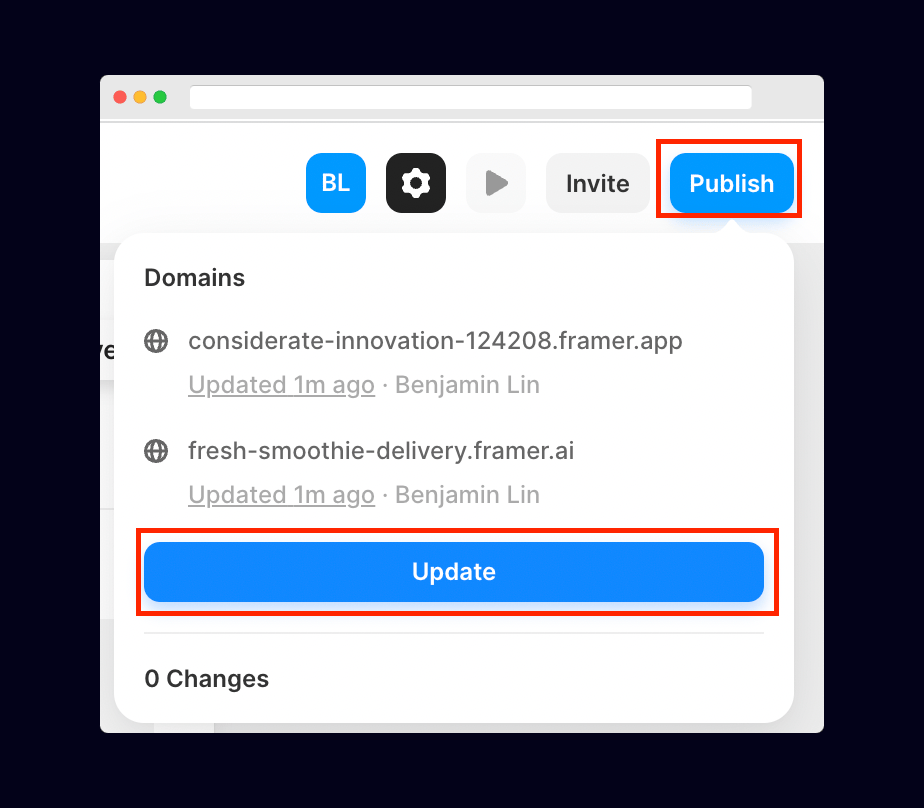
  <Step title="Publish your Framer site">
    Click the publish button in the top right to publish your Framer site.

    <Frame>
      <img src="https://mintcdn.com/superflow-claude-superflow-portal-docs-78gpp8/g2KY_MNTB5LdaNY9/images/publish-framer-final.png?fit=max&auto=format&n=g2KY_MNTB5LdaNY9&q=85&s=93e9d03492df03702f87a6c05853efba" alt="Framer: Publish your Framer site" width="924" height="808" data-path="images/publish-framer-final.png" />
    </Frame>
  </Step>

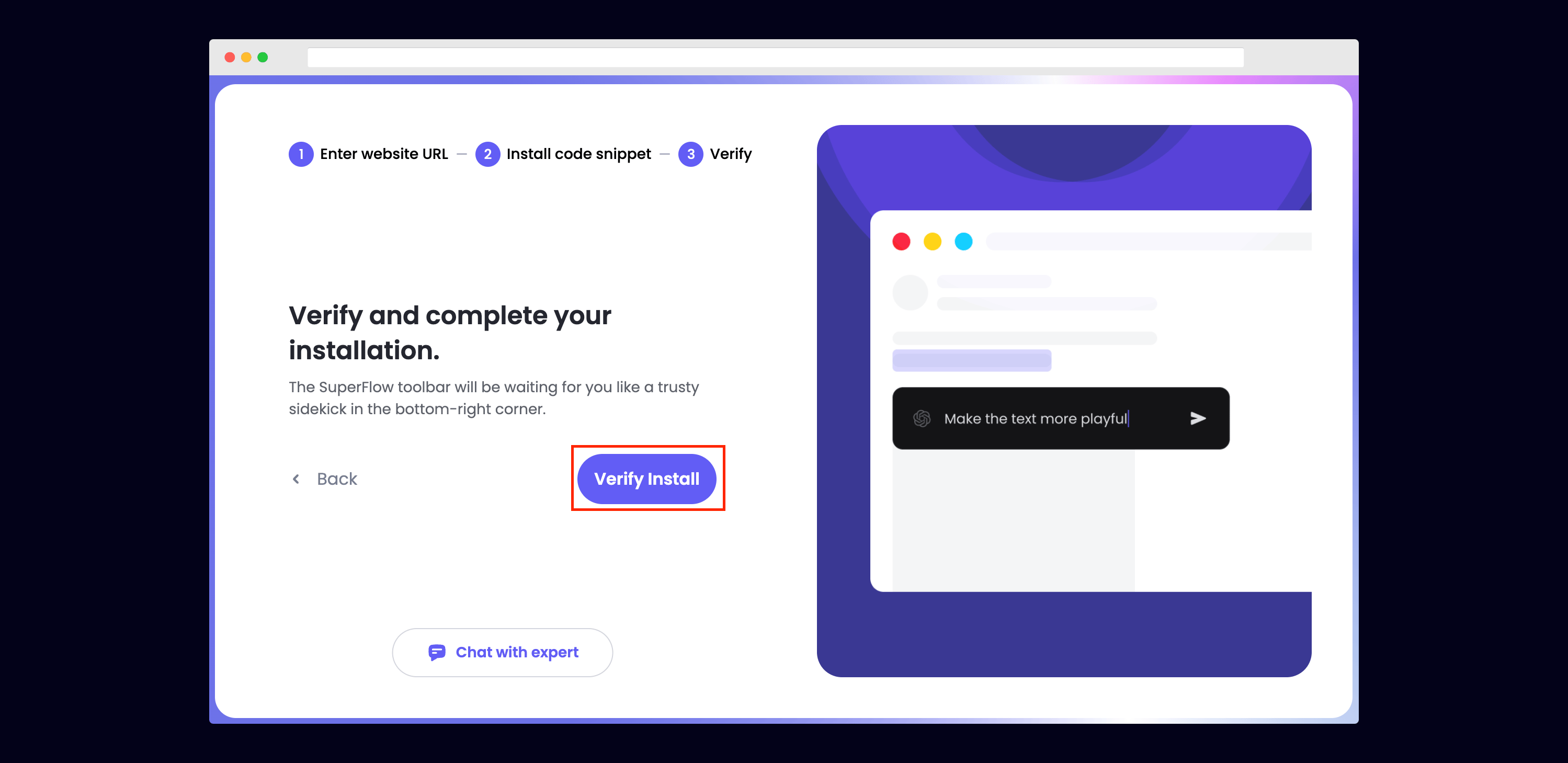
  <Step title="Verify your Installation">
    Verify your Superflow installation by clicking the Verify button on the onboarding flow.

    <Frame>
      <img src="https://mintcdn.com/superflow-claude-superflow-portal-docs-78gpp8/g2KY_MNTB5LdaNY9/images/verify-final.png?fit=max&auto=format&n=g2KY_MNTB5LdaNY9&q=85&s=bb7d8205964ce5188940907cb8260915" alt="Framer: Verify your Installation" width="2998" height="1459" data-path="images/verify-final.png" />
    </Frame>

    If successful, you should be redirected to your published Framer site and see the following success message:

    <Frame>
      <img src="https://mintcdn.com/superflow-claude-superflow-portal-docs-78gpp8/g2KY_MNTB5LdaNY9/images/verified-final.png?fit=max&auto=format&n=g2KY_MNTB5LdaNY9&q=85&s=67af7ec1dfe72bc2974e612b4734cb2d" alt="Framer: Verify your Installation" width="1366" height="1206" data-path="images/verified-final.png" />
    </Frame>
  </Step>

  <Step title="Troubleshooting">
    Having trouble getting your verifying your installation? Here are the common mistakes users encounter when installing Superflow:

    * Did you forget to save the Custom Code?
    * Did you forget to publish your site?
    * Is the browser still loading a cached version?
    * Did you add `?review=true` at the end of your url?
    * Did you publish your changes on a staging URL while you are trying to access a Prod URL?
    * Did you accidentally install multiple Superflow scripts in the Custom Code?
  </Step>

  <Step title="Navigate to your Framer site">
    Now that you have verified that Superflow has been installed on your Framer site, navigate to your published site and add `?review=true` at the end of the URL to enable Superflow.

    `Example: mywebsite.framer.com/?review=true`
  </Step>

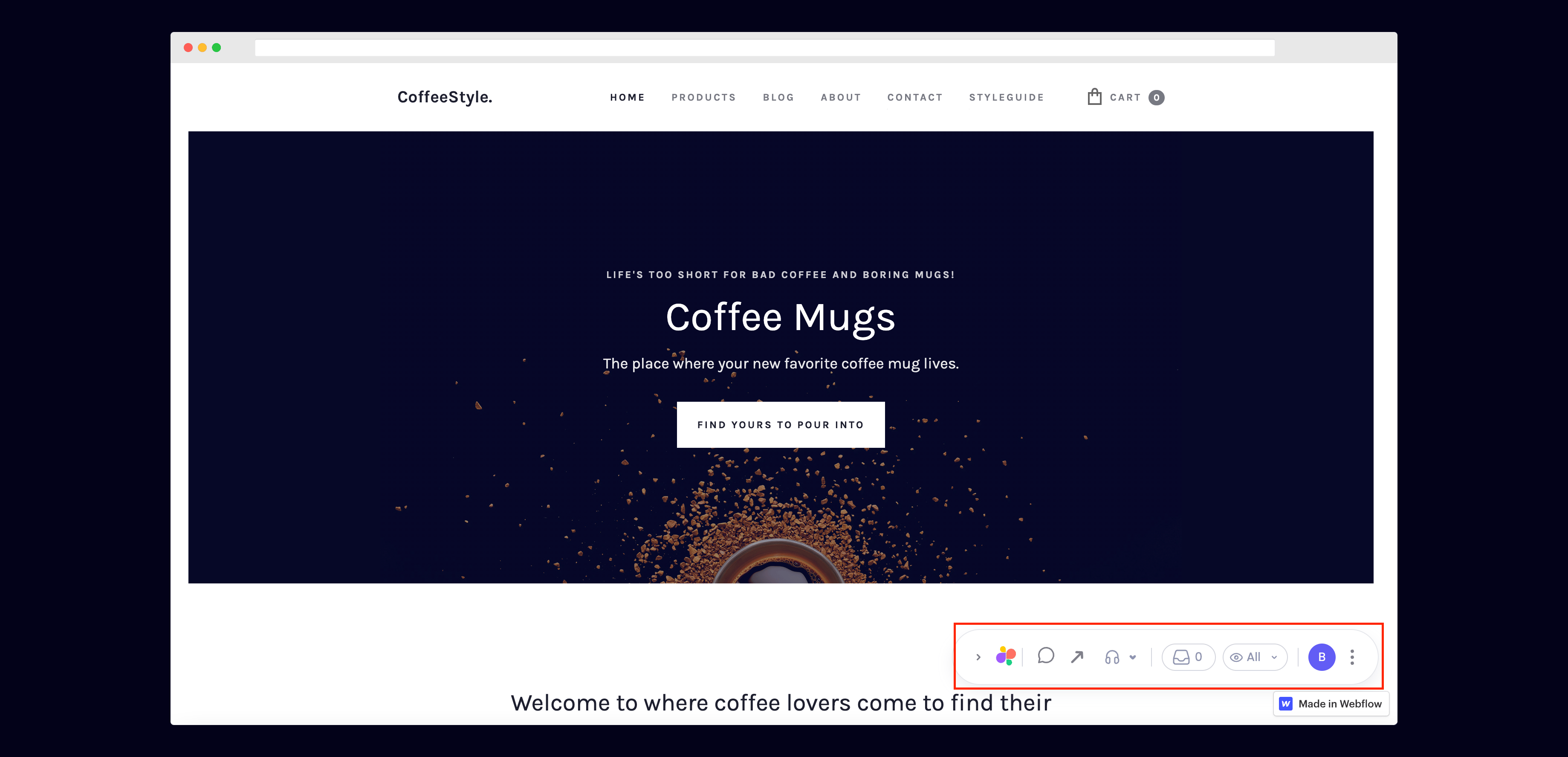
  <Step title="Test out Superflow">
    You should now see a Superflow toolbar on the bottom right of you screen.

    <Frame>
      <img src="https://mintcdn.com/superflow-claude-superflow-portal-docs-78gpp8/g2KY_MNTB5LdaNY9/images/toolbar-final.png?fit=max&auto=format&n=g2KY_MNTB5LdaNY9&q=85&s=b492072e934939d1335584a8efdeba6a" alt="Framer: Test out Superflow" width="3678" height="1775" data-path="images/toolbar-final.png" />
    </Frame>
  </Step>

  <Step title="Dropping your first comment">
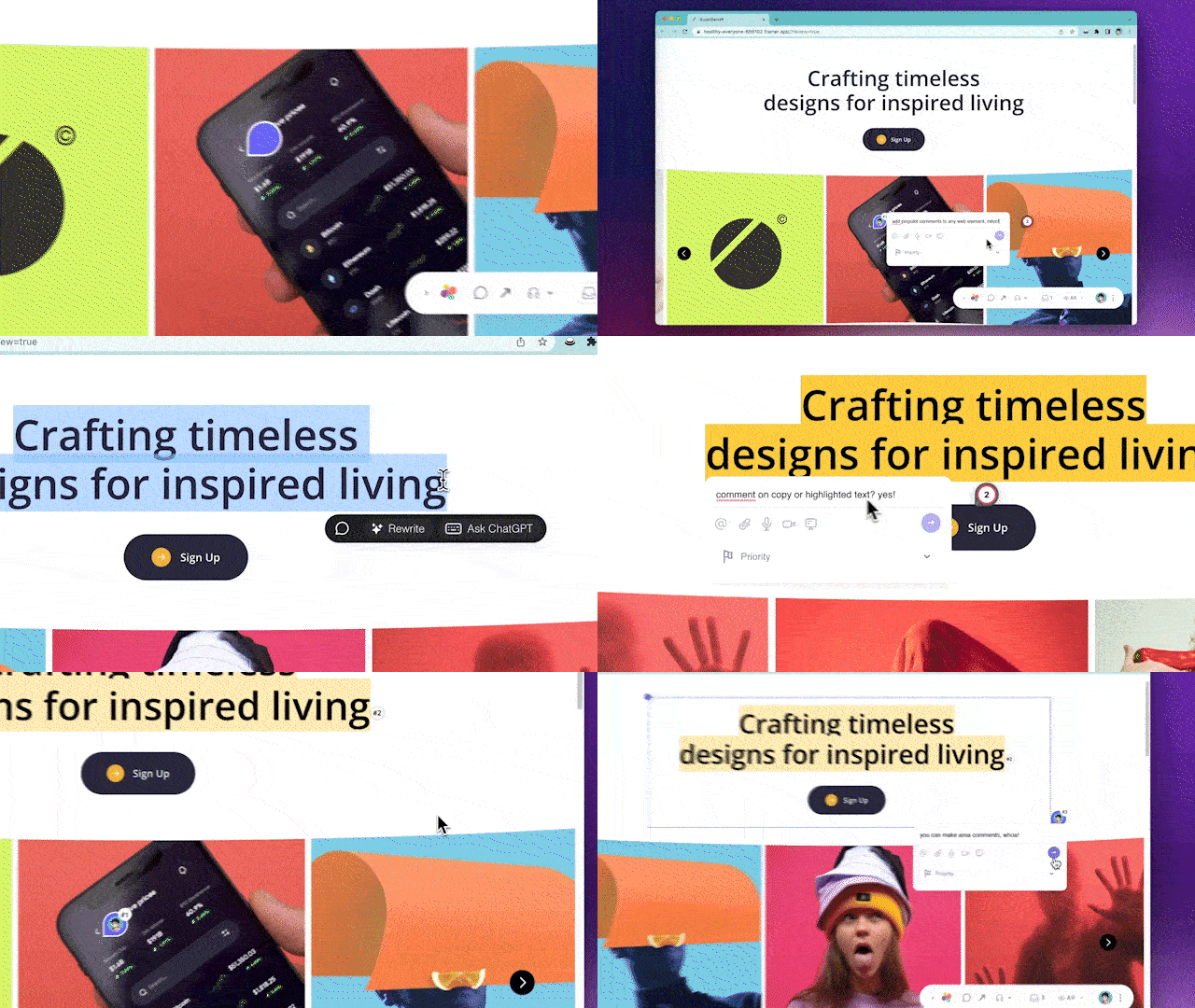
    Try leaving a comment on your page.

    You can leave a comment in several different ways:

    * By highlighting any text
    * By hovering over any element on the page
    * By drawing a box anywhere on the page

    You can also leave voice and screen recordings in your comments as well!
    <Frame>
      <img src="https://mintcdn.com/superflow-claude-superflow-portal-docs-78gpp8/_zKrRwh5L1PapanY/images/demo.gif?s=f8a9dd8577b5ee8929ed7dd7e34658fb" alt="Framer: Dropping your first comment" width="640" height="360" data-path="images/demo.gif" />
    </Frame>
  </Step>
</Steps>