> ## Documentation Index
> Fetch the complete documentation index at: https://superflow-claude-superflow-portal-docs-78gpp8.mintlify.site/llms.txt
> Use this file to discover all available pages before exploring further.
# How to View All Comments on a Project
> See every comment on a project in one place, from the project board.
To see every comment on a project, open the project from the Home page on the Superflow Dashboard. The **Comments** tab shows all feedback as cards, grouped into status columns, with a count in the tab label.
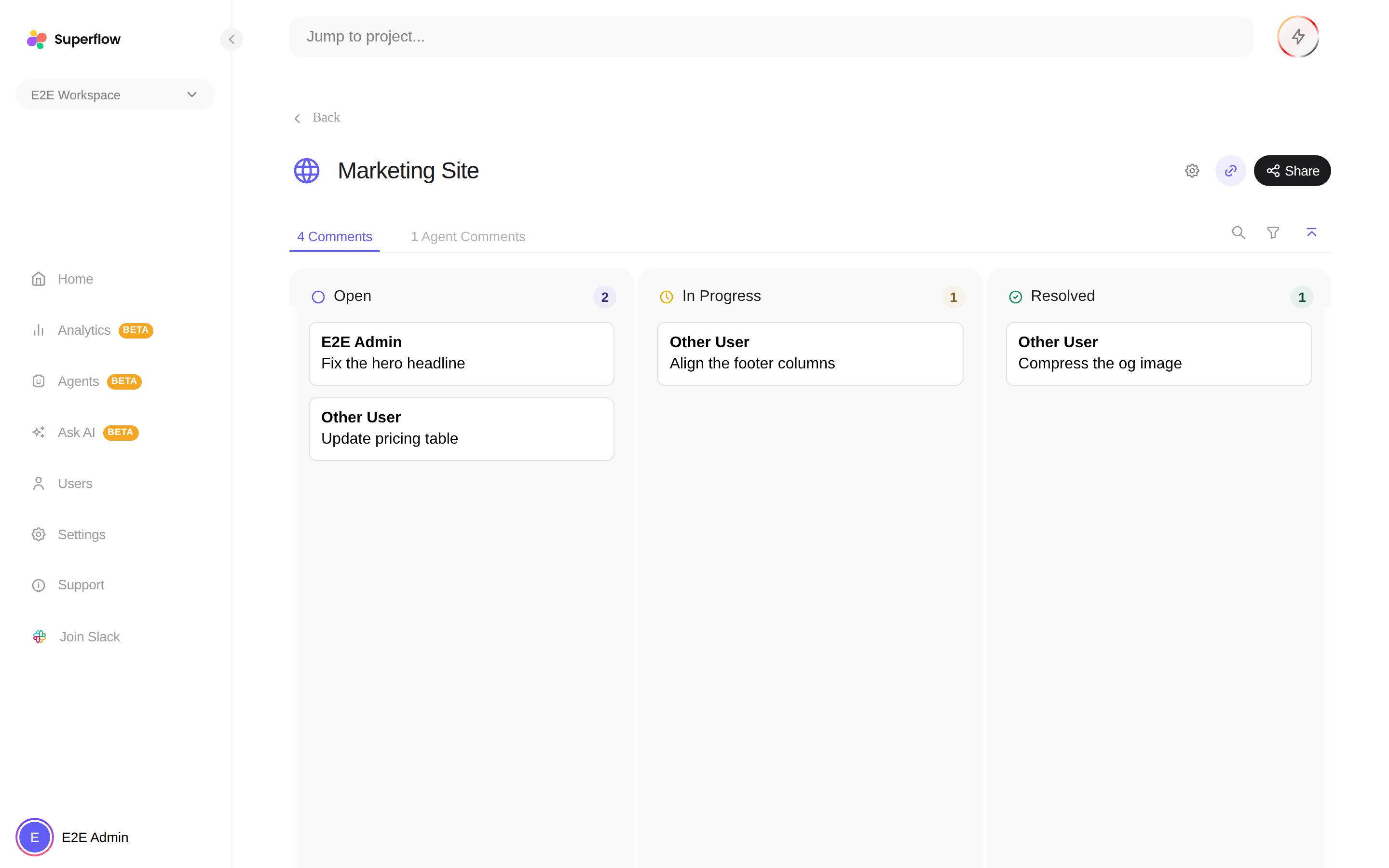 * The **Comments** count on the Home page's project list gives you the same total at a glance, including draft comments.
* Use the search box and filters to narrow by person or page, and click any card to read the full thread and reply.
* The **Agent Comments** tab next to it collects findings from [AI agents](/agents/overview) separately.
Want the comments outside Superflow? [Export them as JSON or CSV](/how-to-guides/how-can-I-export-comments), or connect [Slack, Asana, ClickUp or Monday](/Integrations/how-to-integrate-with-slack) to push them into your tracker as they happen.
* The **Comments** count on the Home page's project list gives you the same total at a glance, including draft comments.
* Use the search box and filters to narrow by person or page, and click any card to read the full thread and reply.
* The **Agent Comments** tab next to it collects findings from [AI agents](/agents/overview) separately.
Want the comments outside Superflow? [Export them as JSON or CSV](/how-to-guides/how-can-I-export-comments), or connect [Slack, Asana, ClickUp or Monday](/Integrations/how-to-integrate-with-slack) to push them into your tracker as they happen.