> ## Documentation Index
> Fetch the complete documentation index at: https://superflow-claude-superflow-portal-docs-78gpp8.mintlify.site/llms.txt
> Use this file to discover all available pages before exploring further.
# The Workspace Agent
> A built-in agent that enforces a living checklist of rules your whole team maintains, on every project in your workspace.
The Workspace Agent is a built-in agent that comes with every workspace. Instead of a single prompt, its behavior is a checklist of rules that your whole team can add to, edit, and switch on or off. It is the place to encode your agency's standards once, so every review applies them.
Agents are currently in **Beta**. Each run consumes [AI credits](/billing/ai-credits) from your workspace balance, and the cost is always shown before you confirm a run.
## Where to find it
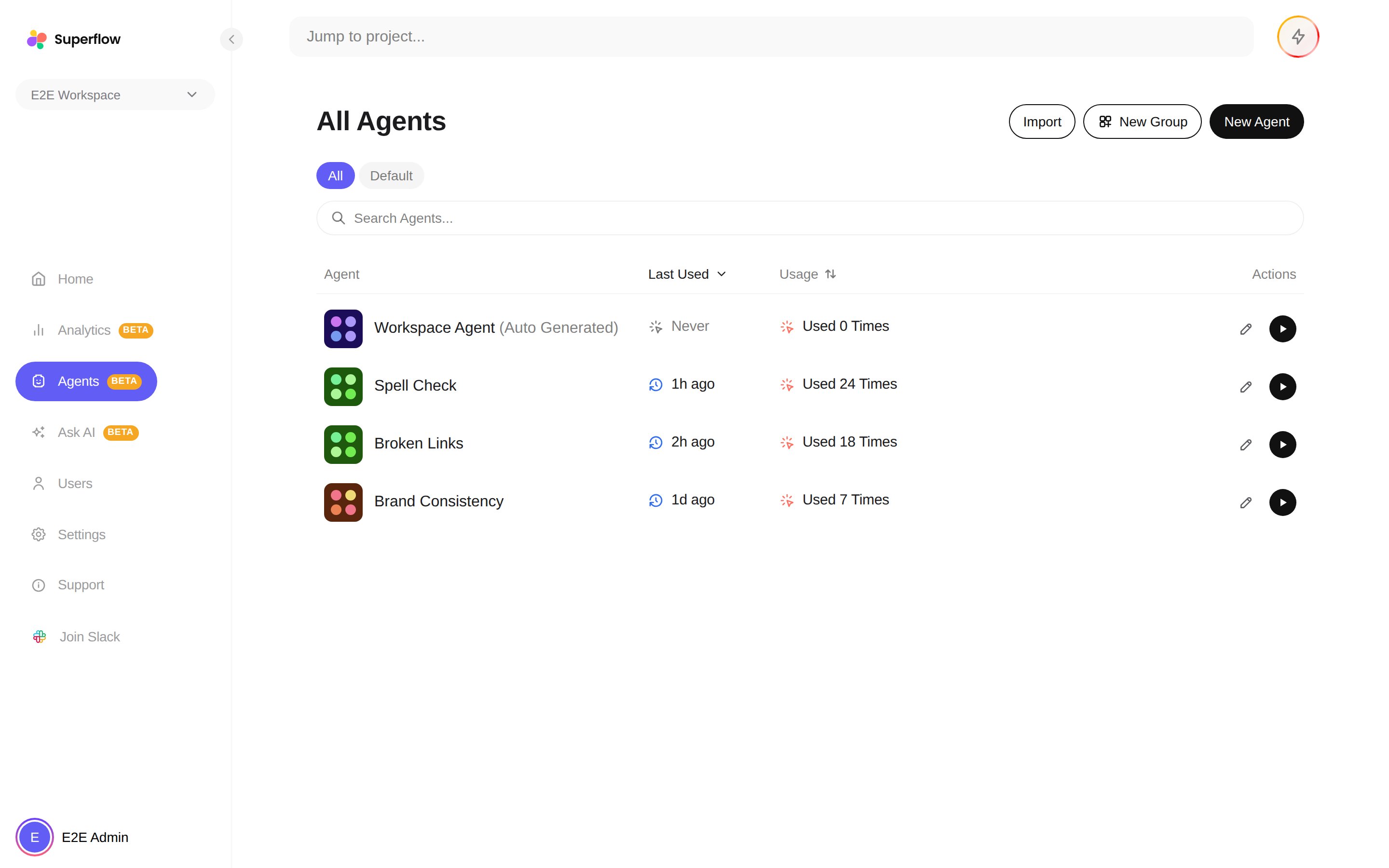
The **Workspace Agent** is always pinned at the top of the agent list, above your own agents.
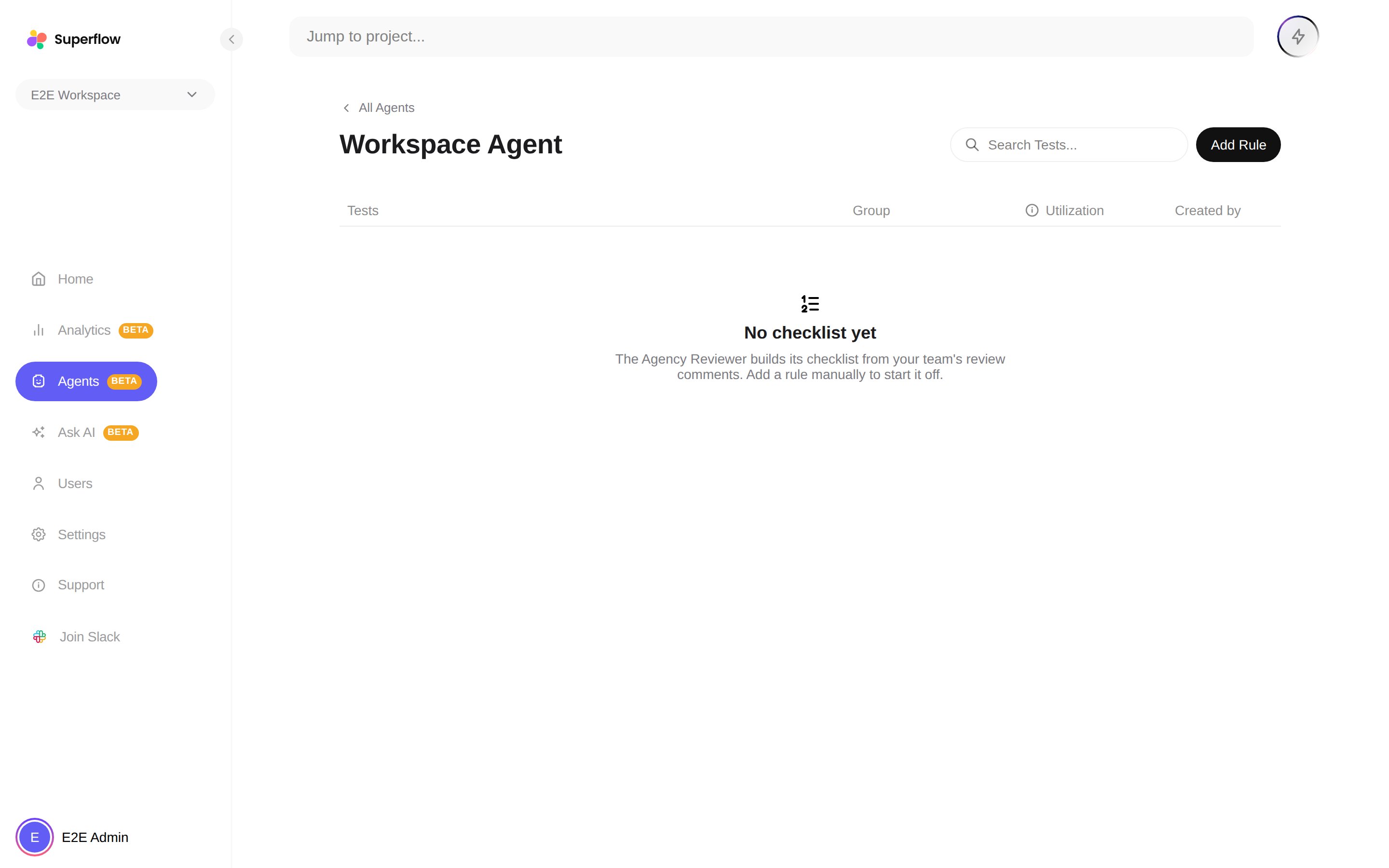
 The checklist is a table of rules with columns for **Tests**, **Group**, **Utilization**, and **Created By**. Utilization shows how often each rule has produced findings, so you can see which rules earn their keep.
 ## Adding and managing rules
Write the rule in plain English, the same way you would brief a junior reviewer. For example: "All call-to-action buttons must use the primary brand color" or "Phone numbers must be formatted as (555) 555-5555".
Every rule can be edited in place, toggled on or off without deleting it, or removed entirely. Disabled rules stay in the list so you can bring them back later.
If two rules contradict each other, the conflicting pair is pinned above the list with a resolve action, so the agent never has to guess which one wins.
## When it runs
The Workspace Agent runs like any other agent: from the **Run** button on the agent list, as part of a group with **Run All Agents**, or as a pre-check when you create a new project. Its findings appear in the same places as every agent's findings. See [How to Review Agent Findings](/agents/how-to-review-agent-findings).
Treat the checklist as a living document. When a client reports an issue your review missed, add it as a rule. The next review catches it automatically, on every project.
## Adding and managing rules
Write the rule in plain English, the same way you would brief a junior reviewer. For example: "All call-to-action buttons must use the primary brand color" or "Phone numbers must be formatted as (555) 555-5555".
Every rule can be edited in place, toggled on or off without deleting it, or removed entirely. Disabled rules stay in the list so you can bring them back later.
If two rules contradict each other, the conflicting pair is pinned above the list with a resolve action, so the agent never has to guess which one wins.
## When it runs
The Workspace Agent runs like any other agent: from the **Run** button on the agent list, as part of a group with **Run All Agents**, or as a pre-check when you create a new project. Its findings appear in the same places as every agent's findings. See [How to Review Agent Findings](/agents/how-to-review-agent-findings).
Treat the checklist as a living document. When a client reports an issue your review missed, add it as a rule. The next review catches it automatically, on every project.